
Unlocking Business Potential: How Business Activity Analytics Drives Commercial Success
In commercial operations and retail, success depends on more than physical security. Understanding customers, enhancing operations, and enhancing experiences are essential. Business Activity Analytics (BAA) transforms security cameras into tools that stimulate growth, efficiency, and revenue.
Beyond Security: The Power of Data-Backed Insights
Standard security measures focus on loss prevention and asset protection. Business Activity Analytics builds on this by using the edge-computing capabilities of your existing camera infrastructure (such as the Alarm.com Prism series) to deliver actionable insights without additional tracking systems.
Business Activity Analytics enables you to answer key operational questions with concrete data:
Where do customers spend the most time in my facility?
What are my true peak traffic hours, and how can I optimize staffing to match?
Are my new product displays or promotional areas effectively attracting attention?
How can I optimize consumer flow to reduce wait times while improving satisfaction?
Business Activity Analytics replaces guesswork with accurate data, allowing informed decisions and measurable results.
How Business Activity Analytics Works
Business Activity Analytics uses AI-driven video analytics to collect data on customer behavior and spatial activity. Through the unified Alarm.com for Business dashboard, you can configure five specialized rules:
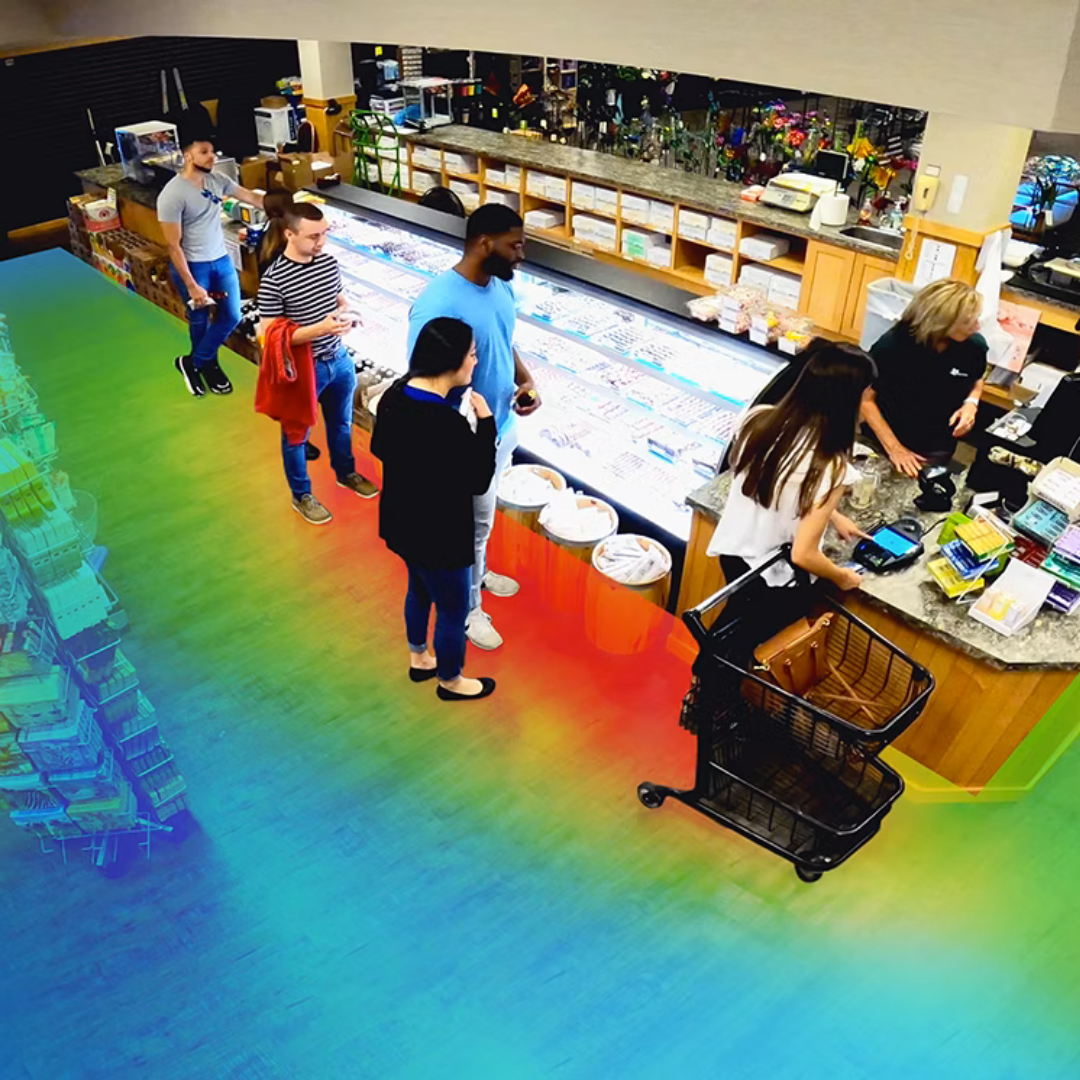
Heat Mapping
Visualize customer traffic patterns and identify high-value areas in your store. Heat maps use color-coding (red for high activity, blue for low activity) to show where people spend the most time.
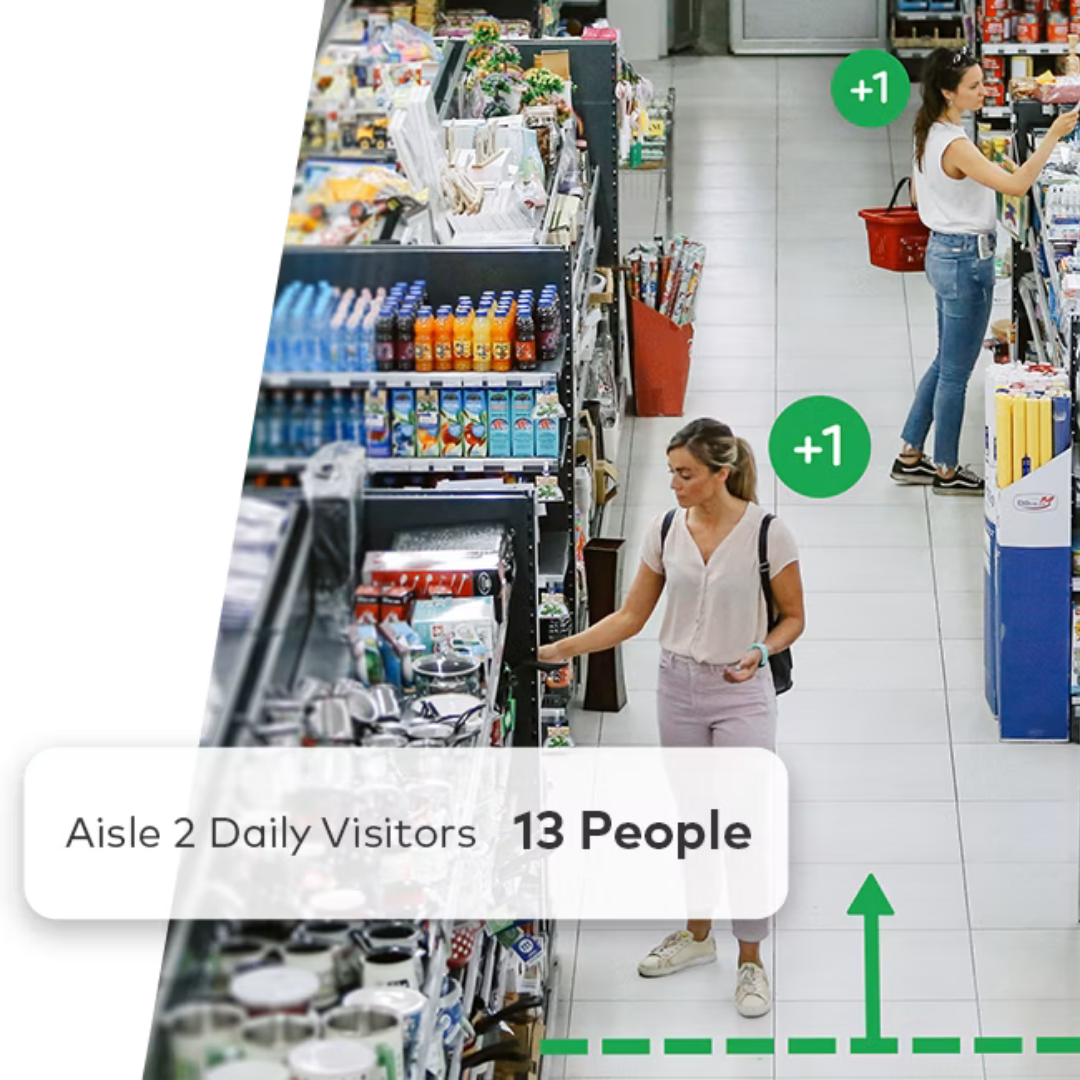
People Counting
Draw a virtual tripwire across an entrance or hallway to measure foot traffic in both directions. This helps analyze flow and identify the busiest access points.
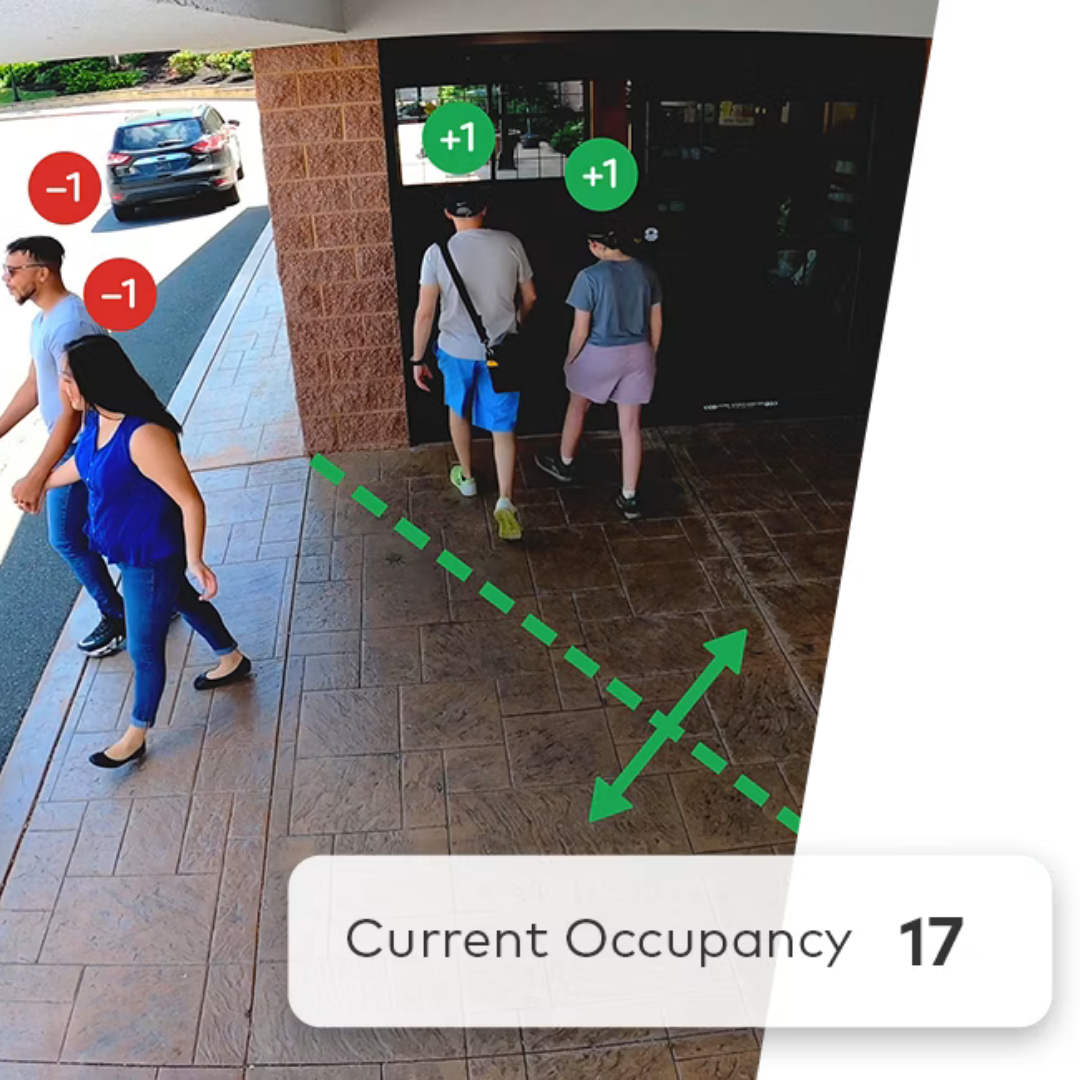
Occupancy Tracking
Monitor the number of people in a defined area at any time. This supports peak occupancy analysis, crowd management, and compliance with fire code capacity limits.
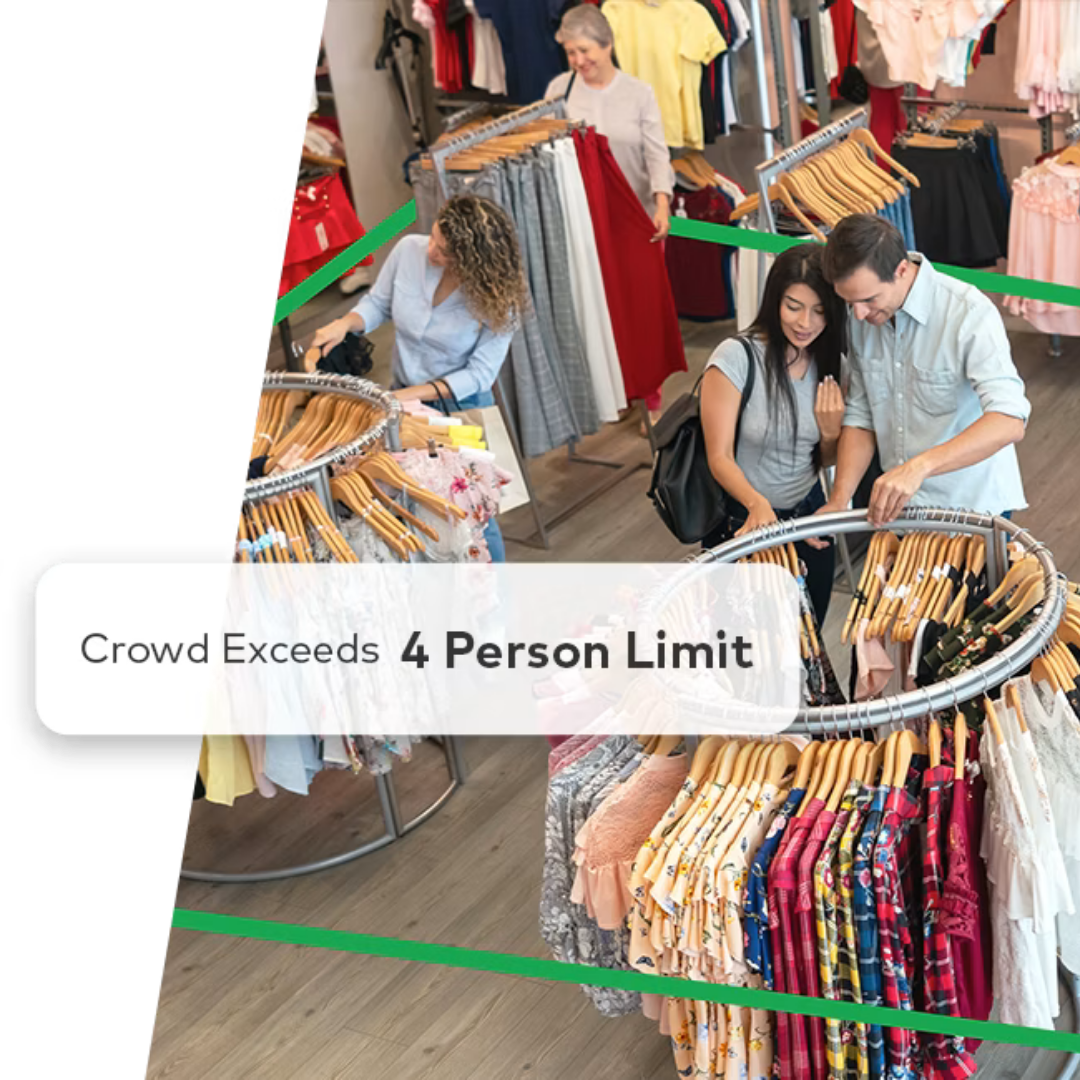
Crowd Gathering
Track how many people assemble in a defined zone. This reveals customer interest in promotional displays and alerts management if a crowd forms in key areas.
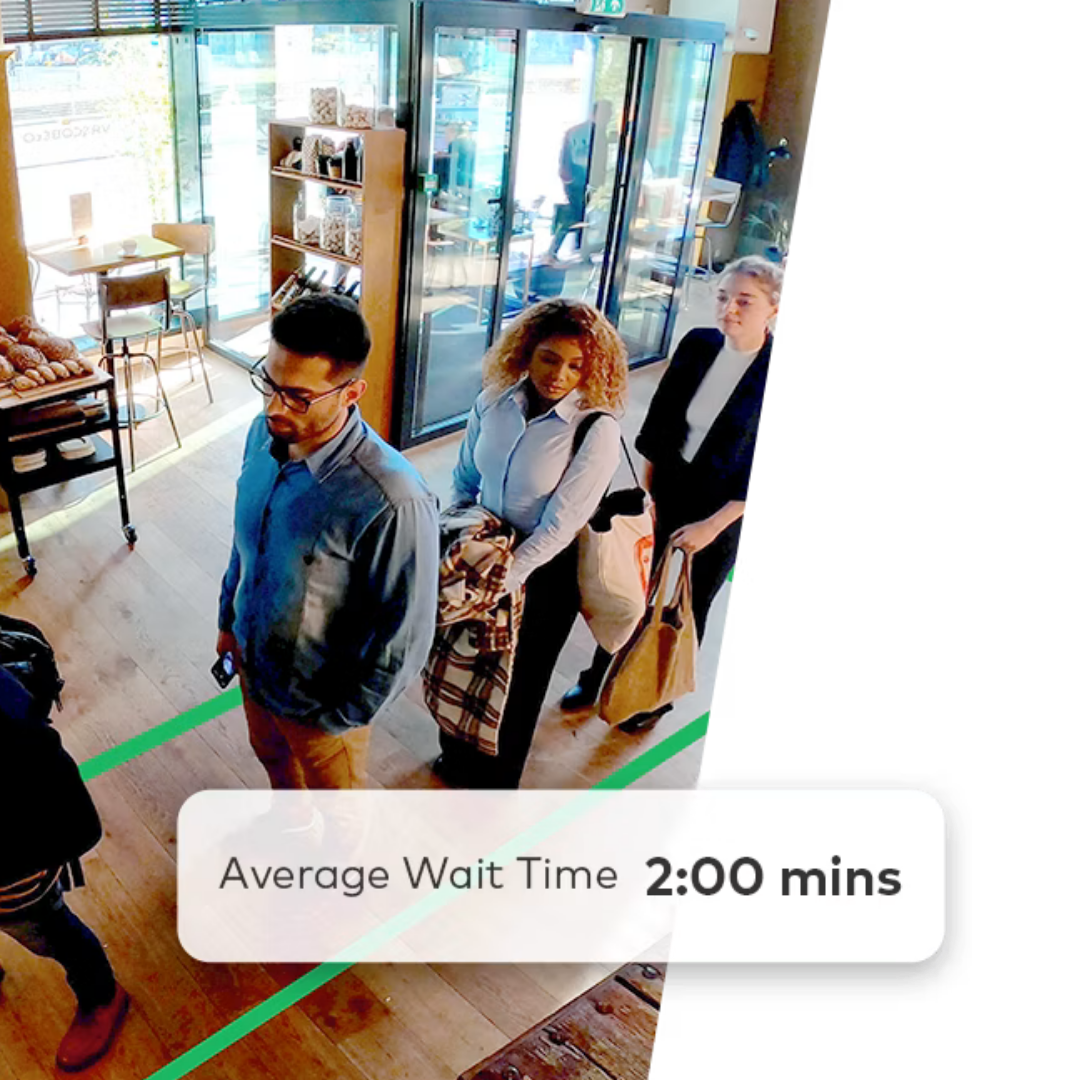
Queue Monitoring
Analyze customer waiting durations and queue lengths. Set digital thresholds at checkout lines or service desks to optimize staffing and receive instant alerts when lines exceed the set limits.
Unlocking the Benefits: Data-Driven Success - BAA enables facility managers and retailers to turn data into operational strategies:
-
Use heat maps to strategically position high-value products and displays based on customer traffic patterns.
Leverage people counting and occupancy data to optimize staffing, providing adequate coverage during peak hours and lowering labor costs during slower periods.
Use queue monitoring to manage checkout lines, dispatch backup cashiers promptly, and minimize customer wait times.
-
Analyze customer movement to optimize store layout and improve the shopping experience.
Use crowd-gathering data to assess the ROI of promotions, displays, or events, and execute data-driven adjustments to increase engagement.
-
Receive automated reports (daily, weekly, or monthly) to follow key metrics, identify trends, and measure the impact of operational changes.
Set real-time notification thresholds. For example, if occupancy reaches 90% or a checkout line exceeds five people, management receives an instant notification to address the issue promptly.
Are you ready to transform your business with effective insights?
Your security system should do more than record the past; it should help you optimize the future. Contact ASI Security Solutions to learn how Business Activity Analytics can unlock your facility's full potential.