
Own Every Moment: Awareness, Control, and Accountability - The Core Pillars Pt. 3 | ASI

When you're running a growing, independent business, mental challenges and concerns about facility security often persist after hours. This persistent worry illustrates the need for solutions that directly address owners’ desire for peace of mind and effective off-site management.
Did the cleaning crew arrive on time? Did the closing manager lock the loading dock? Who just disarmed the warehouse alarm at 11:30 PM on a Saturday?
Old systems were reactive. They stayed quiet until something went seriously wrong. They couldn’t tell you whether your business opened on time or who came in.
Our third Core Pillar of commercial security changes this system. Modern systems should catch criminals and help you run your business every day. To support this philosophy, we have structured our system around three linked elements: Awareness, Control, and Accountability. In the following sections, we will explain how each component works to ensure business owners can effectively "Be there when you're not."
Awareness: Eliminating the Blind Spots
As a business owner, do you only see your business when you're there, or can you see it from anywhere, at any time?
When we design a commercial system, we ask what blind spots are causing you stress. That way, we can build you a personalized system that brings awareness.
This is where our team succeeds at creative problem-solving.
If you run a logistics hub and need to know when your freight vendors arrive, we set up an AI video analytics tripwire that sends a silent push notification to your phone the moment a truck crosses the property line.
If you have a retail space with valuable inventory in a back room, we use smart access control to send a daily report showing every time that door opens and how long it stays open.
Real awareness means your building keeps you updated, filters out the noise, and shares only the information you need.
Effortless Facility Control, Wherever You Go
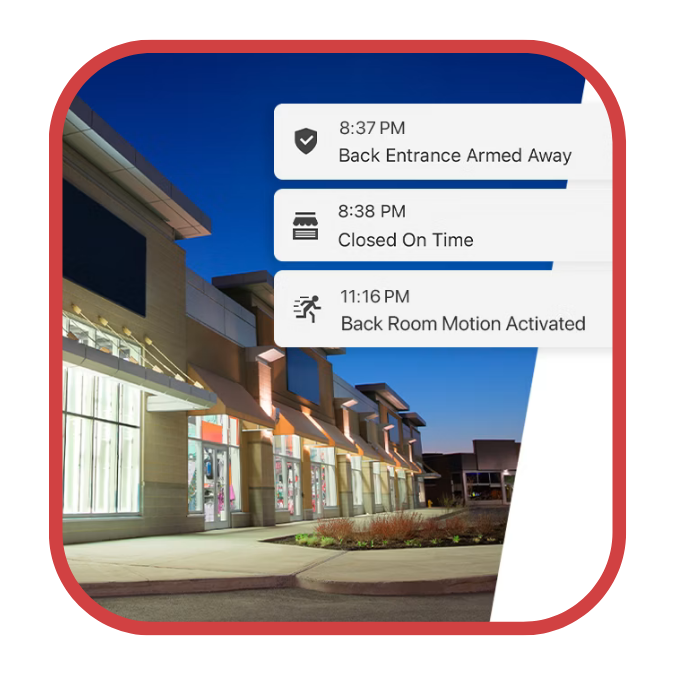
Awareness only matters if you can act on it. In the past, if a vendor needed emergency access to a locked utility closet, you had to drive to the facility with a master key.
With the Alarm.com commercial system, you can manage your whole facility from one simple mobile dashboard.
Manage one plant or 100, with total control in your pocket.
Remote Access: If a delivery driver arrives early, you can unlock the receiving bay door from your phone, watch the delivery on a live camera feed, and lock the door as soon as they leave.
Partition Management: If your departments work on different schedules, you can arm or disarm selected zones without affecting the rest of the building.
Climate & Lighting: Adjust smart thermostats and lighting remotely to keep the building comfortable when needed and energy-conserving when empty.
Trust, But Verify: Building a Transparent Workplace
When multiple employees need facility access, shared keys and generic alarm codes significantly increase security risks. If something goes missing or someone skips a step, you won't know who was responsible. You end up guessing, which isn’t reliable.
When you give each person a unique digital credential, like a mobile app login or a unique alarm PIN, we log every building interaction in a permanent, cloud-based audit trail. No more guessing, no more risk.
The system tells you exactly who did what, down to the minute. You don’t have to wonder if the night shift finished their rounds. The access control logs prove it. This level of accountability not only deters internal theft, but also protects honest employees from false accusations and makes sure your standards are met even when you’re not there.
If you’re ready to stop worrying about your facility after you leave, it’s time to upgrade to a system that gives you your time back.
Wondering what an audit trail looks like in real life? Use the interactive table below to explore a sample Alarm.com activity log. Try filtering by employee or event type to see how easily you can track what happens in your facility.
Facility Accountability Log
Use the filters to isolate specific employee actions and identify security exceptions.
| Time | User ID | Action / Event | Location |
|---|---|---|---|
| 06:45 AM | Manager: Sarah J. | Disarmed System | Main Panel |
| 06:46 AM | Manager: Sarah J. | Unlocked Door | Front Entrance |
| 08:15 AM | Employee: Mark T. | Access Granted | IT Server Room |
| 02:30 PM | Vendor: HVAC Tech | Access Granted | Roof Hatch |
| 06:15 PM | Employee: Mark T. | Access Denied | Executive Office |
| 09:05 PM | System Automation | Auto-Armed System | Entire Facility |
Are you still using shared keys and guesswork to manage your facility? Fill out the form below. Our team will contact you and work with you to create a custom plan that gives you full visibility and control.