
Editing Permissions in the Nick of Time: The Power of Alarm.com Commercial User Codes | ASI
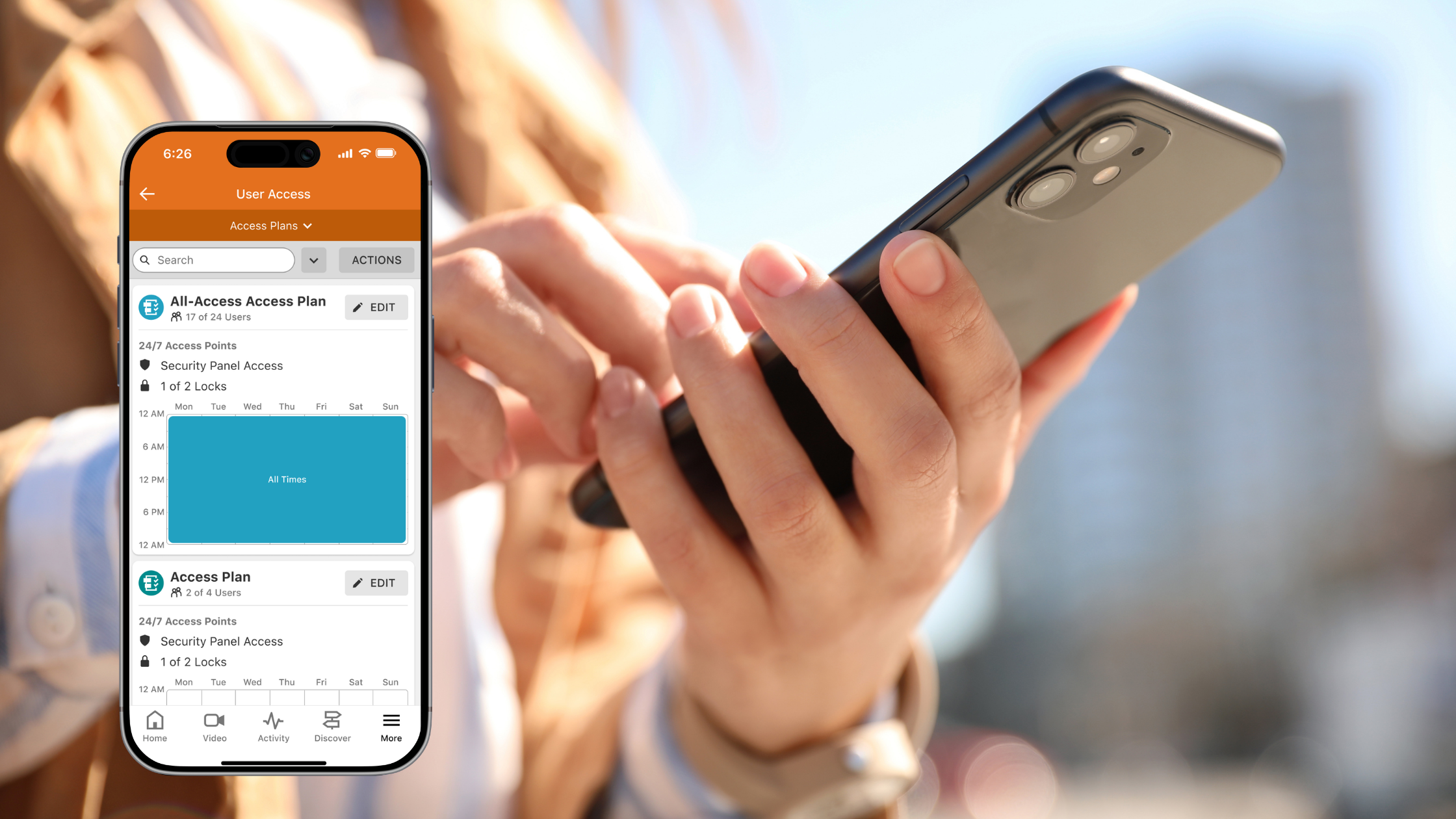
It is 4:55 PM on a Friday. You are wrapping up your week when you get an urgent phone call: a key-holding shift manager has just been terminated under less-than-ideal circumstances, and they left the property angry.
If your facility relies on traditional brass keys or an outdated, unmanaged fob system, your weekend is officially ruined. You are scrambling to call an emergency locksmith, paying exorbitant after-hours fees to re-key the entire perimeter, and hoping the former employee doesn't return before the job is done.
Now, picture that same scenario with a professional, cloud-based access system.
At 4:55 PM, you open the Alarm.com app on your phone. You locate the former manager's profile, hit "Delete User," and confirm. Before the clock even strikes 5:00 PM, their access code is dead. Their smartphone credentials are revoked. The building is secure, and you haven't spent a single dime or left your office chair.
That is the power of editing permissions! But the value of Alarm.com commercial user codes extends far beyond emergency lockouts. They are the backbone of modern commercial accountability and operational ROI. Here is exactly how this technology fundamentally changes how you manage your facility.
The Financial ROI: Deleting the "Brass Key" Liability

Physical keys are an operational nightmare. Every time a key is lost, stolen, or taken by a departing employee, your facility is compromised. You are forced to choose between crossing your fingers and hoping for the best or spending hundreds of dollars to re-key the building.
When you transition your access control to Alarm.com user codes managed through a robust panel (like the DSC Neo), that recurring expense completely disappears.
You become the ultimate gatekeeper. Because the system is managed from a centralized, cloud-based dashboard, granting or revoking access is instantaneous and free. You can create unique codes (or smartphone credentials) for every employee. If someone loses their credentials, you don't call a locksmith; you delete the compromised code and issue a new one in seconds.
Smart Restrictions: Access Only When It Is Needed.
Not every person who walks through your doors needs 24/7 access to the entire building. A weekend cleaning crew shouldn't have the ability to disarm your manufacturing floor on a Tuesday afternoon, and a warehouse worker doesn't necessarily need access to the executive suites or the server room.
Alarm.com allows you to place surgical restrictions on your perimeter by editing user permissions with extreme granularity:
Schedule-Based Access: You can grant an HVAC contractor a temporary code that only works on Mondays and Wednesdays between 8:00 PM and 10:00 PM. Outside that exact window, the code will not function.
Location-Based Access: You can program a user's code to unlock only the back delivery door and disarm the loading dock partition, keeping the rest of the facility completely locked down and armed.
Expiring Codes: Hosting a temporary auditor or a short-term vendor? You can assign an "Access End Date" to their profile. On that specific date, their code is removed from the system, ensuring you never leave lingering vulnerabilities in your database.

The Enterprise Dashboard: Multi-Location Mastery.
For business owners managing multiple locations, user management can quickly become an administrative bottleneck. Alarm.com solves this with the Enterprise Dashboard.
Instead of logging into each building's system separately, the Enterprise Dashboard provides a single, top-down view of your entire operation.
Enterprise Feature & Operational Benefit.
-
Add or revoke a regional manager's access code across every single location simultaneously with one click.
-
Onboarding 50 new employees? You can upload a CSV spreadsheet to instantly create profiles, assign unique PINs, and distribute mobile credentials in bulk.
-
Ensure that standard access rules (e.g., standard employee hours) are applied uniformly across all your properties.
Ending the "Honor System": The Unalterable Audit Trail.
"I thought John locked the loading dock."
“I arrived right at 6:00 AM like I was supposed to."
Business owners deal with these statements constantly. Without a way to verify them, you are forced to run your operations on the honor system. Smart user codes replace guesswork with hard, actionable data.
Because each employee uses a unique code to access the building, your Alarm.com system generates a permanent digital audit trail.
You can pull User Activity Reports to compare expected in-office days against real employee activity. You can open your app and see exactly who disarmed the building at 5:48 AM, and who locked up at 9:15 PM. If inventory goes missing from a restricted storage room, you don't have to interview the whole staff. You pull the activity history to see whose unique code unlocked that specific door during the timeframe in question.
Trust First. Manage Remotely.
Technology is incredible, but it requires professional integration to be a true business asset. At ASI, we build solutions that put trust first—ensuring your foundational security is bulletproof so you can manage your operations with total confidence, rather than relying on luck or DIY gadgets.
With Alarm.com commercial user codes, you are never left fighting with your own building. Whether you need to grant immediate access to a vendor while you are on a business trip, or revoke a credential in the nick of time on a Friday afternoon, you have total operational control right in the palm of your hand.
Ready to stop paying for locksmiths and take back control of your perimeter?
Contact the ASI team by filling out the form below and see how smart access control can streamline your business operations!